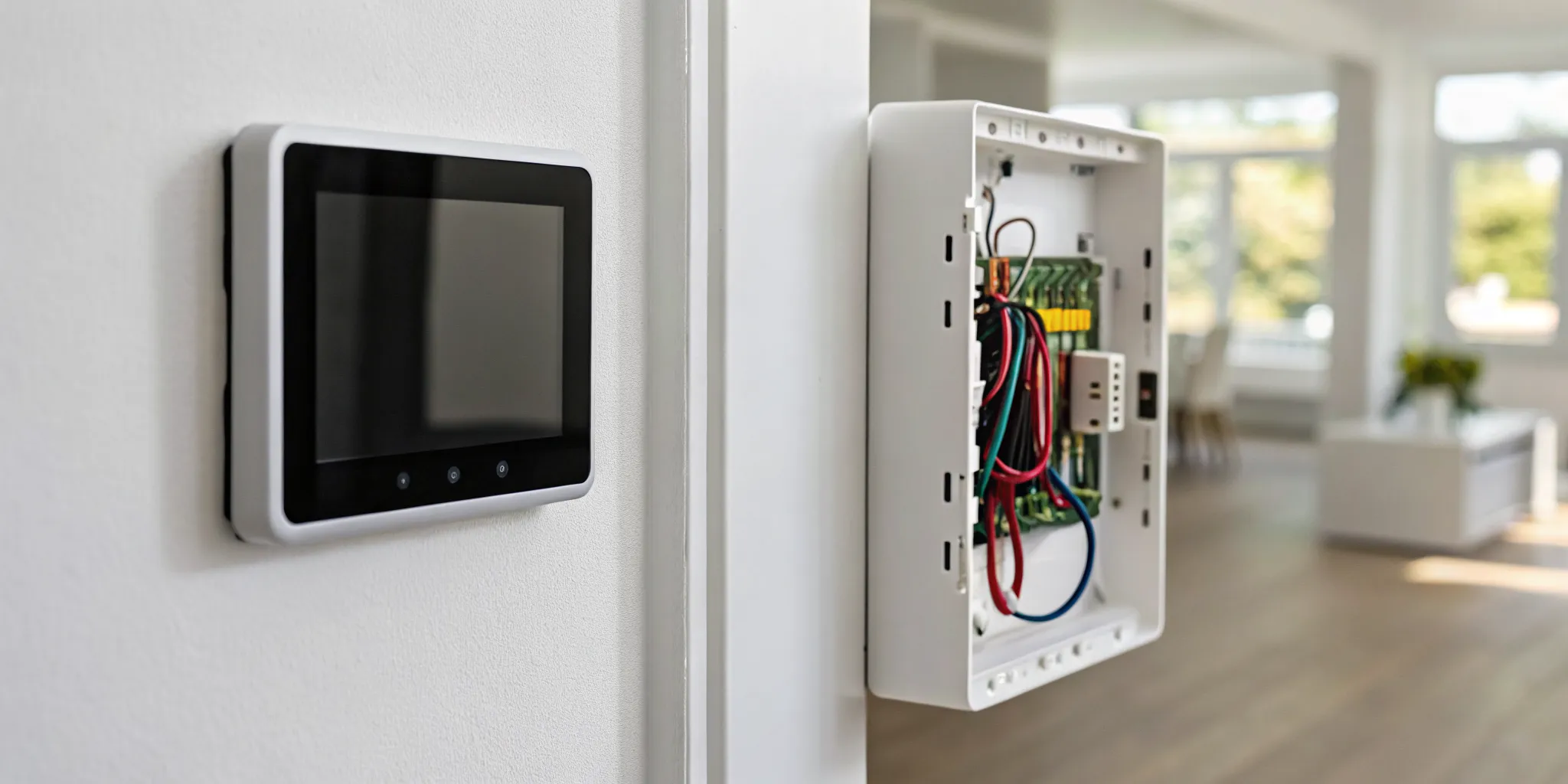
You're ready to install your new smart thermostat, but you've hit a snag: no C-wire. This is a common roadblock for homeowners. That little wire is essential to power smart thermostat features like the Wi-Fi and bright touchscreen. Without it, your new device won't get the constant energy it needs. But before you consider a costly rewiring job, there’s a simple solution. A C-wire adapter is a small, affordable device designed for this exact problem. This guide will show you how to know if you need one and how to install it safely.
Key Takeaways
- A C-wire adapter is the key to a smart thermostat upgrade: It provides the consistent 24-volt power required for modern features like Wi-Fi and touchscreens, making them compatible with homes that have older HVAC wiring.
- Check your current wiring to confirm you need one: Before buying, look behind your thermostat for a wire connected to the "C" terminal. If you don't have one, or if your new thermostat shows signs of power loss, an adapter is your solution.
- Prioritize a safe and correct installation: While many can install an adapter, always turn off the power at the breaker first. If you have a complex system or feel unsure, calling a professional is the best way to protect your equipment and your safety.
Choosing the Right Thermostat for Your Home
Picking a new thermostat feels like it should be simple, but the options can be surprisingly complex. It’s not just about looks; it’s about finding a device that works seamlessly with your HVAC system and your lifestyle. Before you make a purchase, it’s important to understand the different types of thermostats available and, most critically, to confirm which ones are compatible with your home’s heating and cooling equipment. An incompatible thermostat can lead to system malfunctions or, at best, won't work at all. Making the right choice from the start saves you from headaches and ensures you get the comfort and efficiency you’re looking for. Let’s walk through the key factors to consider so you can feel confident in your decision.
Understanding Thermostat Types: Basic, Programmable, and Smart
Thermostats generally fall into three categories. Basic, or manual, thermostats are the simplest—you set the temperature, and the system works to maintain it. Next are programmable thermostats, which allow you to set schedules for different times of the day or week, helping you save energy when you're away or asleep. The most advanced option is a smart thermostat. These devices connect to your Wi-Fi, learn your daily routines, and can be controlled remotely from a smartphone app. Many smart thermostats can even adjust themselves automatically to save energy without sacrificing comfort, making them a popular upgrade for modern homes.
Checking HVAC System Compatibility
Before you get attached to a specific thermostat model, the most important step is to check its compatibility with your HVAC system. Not all thermostats work with all systems. For example, some systems have separate heating and cooling units, while others are heat pumps or have multiple stages of heating or cooling. The wiring behind your current thermostat will give you clues, but it can be confusing. Taking a picture of the existing wiring before you disconnect anything is always a good idea. Cross-referencing this with the compatibility checker on the new thermostat’s website or packaging is a must-do before you buy.
Specialized Systems and Proprietary Thermostats
If you have a high-efficiency or multi-stage HVAC system, your compatibility check becomes even more critical. Some of these advanced systems require proprietary thermostats designed by the same manufacturer to function correctly. For instance, certain high-performance Trane units work best with specific Trane thermostats that can communicate with all the system's components. Using a generic thermostat might mean you miss out on key efficiency features or that the system doesn't run as intended. If you're unsure, it's always best to consult with a professional who can identify your system's specific needs and recommend the right control.
Thermostat Voltage: Millivolt vs. 24-Volt
Another technical detail to be aware of is your system's voltage. The vast majority of modern central heating and air conditioning systems use a 24-volt (24V) system, which is what most smart and programmable thermostats are designed for. However, some older or simpler heating systems, like wall heaters or gas fireplaces, operate on a millivolt system. These systems generate their own tiny electrical current and require a specific type of thermostat. Connecting a 24V thermostat to a millivolt system won't work and could potentially cause damage, so confirming your system’s voltage is a crucial part of the selection process.
Where to Buy Your Thermostat and Find Savings
Once you’ve figured out what type of thermostat you need, the next step is deciding where to buy it. You have a couple of main options: heading to a big-box retail store or working directly with a professional HVAC contractor. Each path has its benefits, depending on your comfort level with DIY projects and the complexity of your system. Beyond the initial purchase, it’s also worth looking into potential savings. Many utility companies offer financial incentives for upgrading to energy-efficient models, which can help offset the cost of a new smart thermostat. A little research upfront can make your investment even more affordable.
Common Purchasing Options
You can purchase a thermostat from several places. Home improvement stores like Home Depot or Lowe's offer a wide variety of models on their shelves, allowing you to compare features and prices in person. Online retailers also provide a huge selection, often with customer reviews to help guide your choice. The other primary option is to buy one through a professional HVAC company. While this might seem like a smaller selection, the thermostats they offer are chosen for their reliability and compatibility with the systems they service, taking the guesswork out of your decision.
Retail Stores vs. Professional HVAC Contractors
Buying from a retail store gives you the freedom to choose from many brands and handle the installation yourself. This can be a great option if you have a simple, compatible system and feel confident in your DIY skills. However, the main drawback is that you're on your own if you run into trouble. On the other hand, purchasing through a professional HVAC contractor, like Tommy Cool Air, ensures you get the perfect thermostat for your system. Our technicians can assess your home's specific needs, guarantee compatibility, and handle the installation safely and correctly, giving you complete peace of mind.
Finding Rebates and Financial Incentives
A new smart thermostat is an investment, but you can often get some of that money back. Many local utility companies offer rebates to encourage homeowners to install energy-saving devices. Because smart thermostats help reduce energy consumption, they frequently qualify for these programs. The ENERGY STAR® website is a great starting point for finding rebates in your area. These incentives can significantly lower the effective cost of your upgrade, making it an even smarter financial decision for your home.
How to Check for Utility Company Credits
Finding out if you qualify for a rebate is usually straightforward. The best way to find utility credits is to visit your local utility provider’s website. Look for a section on "rebates," "energy efficiency," or "savings programs." There, you'll likely find a list of qualifying products and the forms you need to fill out. Some programs offer an instant rebate at the point of sale, while others require you to submit a receipt and application after the purchase. A quick call to their customer service line can also provide all the information you need.
What Is a C-Wire Adapter?
If you've ever tried to upgrade to a smart thermostat, you might have run into a little snag called the C-wire. A C-wire adapter is a small, affordable device that solves a common problem in homes with older wiring. It’s designed to provide a steady stream of 24-volt power to your new thermostat when a dedicated C-wire (or "common wire") isn't already available.
Think of it as a clever workaround. Instead of needing an electrician to run a whole new wire through your walls, this adapter uses your existing thermostat wiring to create the connection your smart thermostat needs. It’s a simple solution that makes modern home technology accessible, even if your house wasn't originally wired for it. For many homeowners, it's the key to getting their new smart thermostat up and running smoothly.
Why Your Smart Thermostat Needs a C-Wire for Power
Your old, dial-style thermostat was a simple switch. It needed very little power, often just pulling from a small battery to keep its screen on. Smart thermostats, on the other hand, are more like mini-computers for your wall. They have features like Wi-Fi connectivity, full-color touchscreens, and advanced sensors that need a continuous and reliable power source to work correctly.
That's where the C-wire comes in. It provides a constant flow of power from your furnace directly to the thermostat. Without it, a smart thermostat might try to steal tiny sips of power from other wires, which can lead to flickering screens, a lost Wi-Fi connection, or even short-cycling your air conditioning system. A dedicated C-wire ensures your thermostat has all the power it needs to do its job without causing problems.
How an Adapter Guarantees Consistent Power
So, how does a little box create a new power source out of thin air? It doesn't, but it does something pretty smart. The C-wire adapter is installed down at your furnace or air handler, right by the control board. It works by reconfiguring your existing wires. In a typical four-wire setup, for example, the adapter can combine signals to free up one of the wires to act as the C-wire.
This newly designated wire then runs up to your thermostat, delivering the consistent power it needs. The adapter essentially makes your system's wiring work smarter, not harder. This allows your thermostat to stay connected and powered on, giving you full control over your home's energy-saving systems without the hassle and expense of a major rewiring project.
So, Do I Really Need a C-Wire Adapter?
If you’ve invested in a smart thermostat, you want it to work flawlessly. A C-wire adapter is a small but mighty device that ensures your thermostat has the power it needs to do its job, especially in homes with older wiring. Think of it as a dedicated power line that keeps your thermostat running without interruption. Without one, your smart thermostat might not be so smart after all.
Many of the best features of a modern thermostat, from its bright touchscreen to its Wi-Fi connectivity, require a constant, low-voltage power source. While some thermostats can try to "steal" power from other wires, this method is often unreliable and can lead to frustrating issues like a blank screen or a system that won't turn on. A C-wire adapter solves this problem by providing a steady stream of 24-volt power directly from your HVAC system. This ensures your thermostat operates reliably, giving you consistent control over your home’s comfort and access to all its energy-saving features. It’s a simple fix that makes a huge difference in performance.
Enjoy All Your Smart Thermostat's Features
A smart thermostat is packed with features that go far beyond just setting the temperature. It has a vibrant, full-color display, learns your schedule, and responds to voice commands. All of these functions require a consistent and reliable power source to work correctly. A C-wire adapter provides that dedicated power, ensuring your thermostat’s screen stays lit and its advanced features are always available. Without it, your thermostat might cut corners to save power, leaving you with a device that can’t perform at its best. This simple installation helps you get the full value from your investment in modern energy-saving systems.
Keep Your Thermostat Connected to Wi-Fi
What makes a smart thermostat truly smart is its ability to connect to Wi-Fi. This connection lets you control your home’s temperature from an app, receive important system alerts, and allow the thermostat to download software updates. But maintaining a Wi-Fi signal uses a surprising amount of power. If your thermostat doesn't have a C-wire, it may frequently disconnect from your network to conserve energy. A C-wire adapter prevents these frustrating drop-offs by supplying enough power to keep the Wi-Fi on 24/7. This guarantees you can always count on your air conditioning services to be accessible right from your phone.
Smart Settings for Energy Savings
Once your smart thermostat is properly powered (thanks to that C-wire adapter!), you can tap into its best money-saving features. Beyond a simple daily schedule, smart thermostats offer advanced settings that manage your home’s climate when you’re away for an extended period. Using these vacation or away modes correctly means you aren’t wasting money cooling or heating an empty house. It’s one of the easiest ways to see a real drop in your energy bills. Plus, it’s not just about savings. These settings also help protect your home by managing humidity levels, which is crucial for maintaining good indoor air quality and preventing issues like mold growth, especially during our humid Corpus Christi summers.
Recommended Vacation Mode Settings
Leaving for a trip is a perfect time to let your smart thermostat work for you. Instead of turning your system off completely, which can cause problems, adjust it to an energy-saving temperature. For summer vacations, Trane recommends setting your thermostat about 5-10 degrees warmer than usual, but no higher than 85°F. This keeps your AC from running nonstop while still controlling the humidity. For the rare winter getaway, aim for a setting between 50°F and 65°F to prevent any risk of pipes freezing. The best part? You can program your thermostat to return to your preferred temperature a few hours before you get back, so you walk into a perfectly comfortable home.
How to Know if You Need a C-Wire Adapter
Before you buy a C-wire adapter, it’s smart to confirm you actually need one. Figuring this out is usually straightforward and involves two simple checks: inspecting your current thermostat’s wiring and looking for specific performance issues with your new smart thermostat. If your home was built more recently, you might already have the wiring you need. But if you have an older home, there’s a good chance you’ll need an adapter to provide the constant power your new thermostat requires to run its advanced features. Modern smart thermostats need this dedicated power source to maintain a Wi-Fi connection, keep the screen lit, and process data. Older thermostats simply didn't have these demands, so their wiring was much simpler. Let’s walk through how to find out for sure so you can get your smart thermostat working correctly and efficiently.
How to Check Your System for a C-Wire
The most direct way to know if you need an adapter is to look behind your current thermostat. First, turn off the power to your HVAC system at the circuit breaker for safety. Then, gently remove the faceplate of your thermostat. You should see a series of wires connected to terminals labeled with letters. A C-wire, or "common wire," provides continuous power from the furnace. If you don’t see a wire connected to the "C" terminal, you’ll likely need an adapter. For an adapter to work, you typically need at least three existing wires (R, G, and Y). If you're unsure what you're looking at, our team can always help during a routine air conditioning service call.
Is Your Smart Thermostat Underpowered?
Maybe you’ve already installed your smart thermostat and are noticing some strange issues. If your thermostat isn’t getting enough power, it will let you know through its performance. Common signs include the screen randomly going blank, the device frequently disconnecting from your Wi-Fi network, or the thermostat rebooting itself. You might also notice the battery draining quickly. These problems happen because the thermostat is trying to run its power-hungry features without a steady power source. It tries to steal tiny sips of power when the heating or cooling runs, but it’s often not enough. If you’re seeing these issues, it’s a strong indicator that a C-wire adapter is needed. If you're running into trouble, it's always best to contact a professional to ensure the installation is done safely.
How to Choose the Right C-Wire Adapter
Picking the right C-wire adapter isn't as simple as grabbing the first one you see online. Since this little device connects your expensive thermostat to your even more expensive HVAC system, a bit of homework is necessary to make sure you get a compatible and reliable model. The goal is to find an adapter that works seamlessly with your specific setup, so you can get your smart thermostat running without any headaches.
Think of it like buying a phone charger; you wouldn't use just any cord for a brand-new smartphone. The same logic applies here. Taking a few minutes to check compatibility and features will save you from potential frustration and ensure your system gets the stable power it needs to keep your home comfortable.
Make Sure the Adapter Works with Your System
Before adding any adapter to your cart, the first step is to confirm it will work with your smart thermostat. Most adapter manufacturers list compatible thermostat brands and models on their packaging or website. Next, you’ll need to check that it works with your home’s heating and cooling system. Some adapters are designed for systems that have both heating and cooling, while others might not work with heat-only or cool-only setups.
You can also do a quick check of your existing wiring. Gently pull your current thermostat off its baseplate and look at the connected wires. For most adapters to work, you’ll need to see at least three wires: an R wire (for power), a Y wire (for cooling), and a G wire (for the fan).
What to Look for in a C-Wire Adapter
Once you’ve confirmed compatibility, you can compare features to find the best adapter for your needs. Look for one that promises an easy installation. Features like simple push-in wire terminals, adhesive or magnetic mounts, and a clean cover to hide the wiring can make the process much smoother. A good adapter kit should also come with everything you need to get the job done.
Check the box or product description for included items like clear instructions and wire labels. These small additions are incredibly helpful for keeping track of which wire goes where, especially when you’re working inside your furnace cabinet. If you ever feel unsure about the process, our team is always here to help.
How to Install a C-Wire Adapter: A Step-by-Step Guide
Ready to get your smart thermostat up and running? Installing a C-wire adapter is a project many homeowners can handle themselves. The key is to work carefully and follow the instructions for your specific adapter and HVAC system. We'll walk you through the basic steps, but remember, your safety is the top priority. If you look at your system's control board and feel out of your depth, don't hesitate to contact a professional. It's always better to be safe and ensure the job is done right.
Before You Start: Tools and Safety Precautions
Before you touch a single wire, the most important step is to turn off the power to your HVAC system. Go to your home's circuit breaker and flip the switch that controls your furnace and air conditioner. This isn't just a suggestion; it's essential for your safety. Once the power is off, gather your tools. You'll likely only need a screwdriver and maybe a pair of wire strippers. It's also a great idea to photograph the wires at both your furnace control board and your thermostat before you disconnect anything. This simple step can save you a major headache later by giving you a clear reference of how everything was connected.
Where to Install Your Thermostat for Best Results
Your thermostat's location is just as important as its wiring. Think of it as the brain of your HVAC system—it needs accurate information to make smart decisions. For the best results, install it on an interior wall, about five feet from the floor, in a central part of your home like a hallway or living room. Keep it away from direct sunlight, drafts from windows or vents, and heat sources like lamps or kitchen appliances. These can trick your thermostat into thinking the room is warmer or cooler than it actually is, causing your system to run unnecessarily. A proper location is a key part of any smart thermostat installation, ensuring it accurately reads your home's temperature and keeps you comfortable without wasting energy.
Step 1: Connect the Adapter at Your Furnace Control Board
Your first stop is your furnace or air handler. After removing the access panel, you'll see the control board where your thermostat wires connect. This is where the adapter gets hooked up. Your C-wire adapter will have a set of wires labeled for your equipment. You'll need to connect these wires to the matching terminals on the control board. For example, the adapter's 'R' wire goes to the 'R' terminal, and its 'C' wire goes to the 'C' or common terminal. Disconnect your existing thermostat wires from the control board and connect them to the corresponding wires on the adapter. Always follow the specific diagram that came with your adapter.
Step 2: Connect the Wires at Your Thermostat
Now, head back to your thermostat. Carefully remove the old thermostat from the wall to expose the wiring. Here, you'll connect the wires coming from the wall to your new smart thermostat, but with a slight change. The adapter cleverly uses one of your existing wires (usually the G-wire, which controls the fan) to also carry power. You'll need to connect the C-wire adapter according to its instructions. Typically, the old G-wire will now go into the 'C' terminal on your new thermostat, and a special wire from the adapter will go into the 'G' terminal. This is where those photos and labels you made earlier come in handy to keep everything straight.
Avoid These Common Installation Mistakes
Installing a C-wire adapter can feel like a straightforward DIY project, but a few common slip-ups can leave you with a thermostat that doesn't work. Even the most careful person can make a simple mistake that prevents the adapter from powering your device correctly. Knowing what to watch out for can save you a lot of frustration and ensure your smart thermostat gets the consistent power it needs to function. It's one of those tasks where a small error can have a big impact, so taking your time is key.
Before you start, it’s helpful to understand the two most frequent errors people make during installation. These usually involve either misinterpreting the wiring diagram for your specific HVAC system or placing the adapter in the wrong spot. Both mistakes can lead to the same outcome: a blank thermostat screen and a system that won’t turn on. Getting these steps right is crucial for both your thermostat and the health of your entire heating and cooling system. An incorrect installation could potentially damage your control board, which is a much more complicated fix. Let’s walk through what to avoid so you can get your installation right the first time and enjoy all the benefits of your new smart thermostat without any headaches.
Misreading Your HVAC Wiring Diagram
One of the most common hurdles is misreading your HVAC system's wiring. When you open your furnace panel, the bundle of colored wires connected to the control board can be confusing, and it’s easy to mix them up. The most critical connection is ensuring the adapter’s common (C) wire is correctly attached to the C terminal on the control board. If this wire or any others are misplaced, the adapter can’t create the complete electrical circuit your thermostat needs. This often results in power issues, leaving your new smart thermostat unable to turn on or function properly. Double-checking each wire against your system's diagram before you finalize the connections is the best way to prevent this.
Connecting the Adapter to the Wrong Terminals
Where you install the adapter inside your HVAC unit is just as important as how you wire it. The adapter needs to be connected at the right terminals on the control board to work correctly. For example, the adapter's R wire must connect to the R terminal, its C wire to the common terminal, and its W wire to the heat terminal. If the adapter is installed incorrectly, it won't be able to properly direct power from the furnace to your thermostat. This can be tricky since every HVAC unit is a little different. If you find yourself staring at your furnace and feeling unsure, it’s always a good idea to contact a professional for help.
How to Troubleshoot Your C-Wire Adapter
Even with a careful installation, you might find your smart thermostat isn’t powering on correctly. Don’t worry, this is a common hurdle. Most issues with C-wire adapters come down to a few simple connection problems that you can often fix yourself. Before you get frustrated, walk through these troubleshooting steps to identify and solve the issue. If you find yourself dealing with complex wiring or still can't find the source of the problem, our team is always here to help with professional thermostat services.
How to Tell if Your Adapter Isn't Working
The most obvious sign of a problem is a smart thermostat that won't power on at all. If the screen is completely blank after you’ve installed the adapter, something is wrong. Another common symptom is intermittent power. Your thermostat might turn on and off randomly, or it may frequently disconnect from your Wi-Fi network. This usually means it isn't receiving the steady, continuous power it needs to function. You might also see a specific error message on the thermostat's display indicating a power loss or wiring issue.
Diagnosing Power and Wi-Fi Problems
Start by re-checking your work. Turn the power off to your HVAC system and carefully inspect the wire connections at both the furnace control board and the thermostat. Make sure each wire is seated securely in its terminal. Next, confirm that the furnace panel door is closed completely, as many systems have a safety switch that cuts power when the door is ajar. For those comfortable with electrical tools, you can use a multimeter to test for 24 volts between the R and C terminals at the thermostat. If these steps don’t resolve the issue, it may be time to contact a professional to ensure your system is wired safely and correctly.
Basic Thermostat Troubleshooting Steps
Let's start with the basics. First and foremost, turn off the power to your HVAC system at the circuit breaker. Safety is always the first step. Next, head to your furnace and make sure the access panel is shut securely. Many systems have a safety switch that cuts power if the door is even slightly ajar—a simple fix that’s easy to overlook. With the power still off, take a close look at your wiring. Check the connections at the furnace control board and behind the thermostat. Are all the wires pushed in firmly? Are they in the correct terminals according to your adapter's instructions? If you've checked these things and your thermostat still isn't working, it might be time to call in an expert. A professional can safely diagnose the issue and ensure your heating system is wired correctly.
Are There Alternatives to a C-Wire Adapter?
While a C-wire adapter is a fantastic tool for powering a smart thermostat, it’s not your only option. If you’d rather not use an adapter, there are a couple of other paths you can take to get that steady stream of power your new thermostat needs. The right choice for you really depends on your home’s existing wiring and how comfortable you are with a more hands-on electrical project.
The two main alternatives are using a spare, existing wire or running a completely new thermostat wire. One is a bit like finding a hidden treasure in your walls, while the other is a more involved, but permanent, solution. Both methods require you to work with the wiring at your furnace or air handler and at the thermostat itself. Because this involves your home’s electrical and HVAC systems, it’s always a good idea to proceed with caution. If you feel unsure at any point, it’s best to call in a professional to handle the job safely and correctly.
Repurpose an Unused Wire as a C-Wire
Before you do anything else, it’s worth checking for a spare wire. Sometimes, when your home’s thermostat cable was originally installed, it contained more wires than your old thermostat needed. This means you might have an extra wire tucked away inside the wall, just waiting for a job. To check, you’ll need to turn off the power to your HVAC system at the breaker. Then, carefully remove your thermostat to see the wires behind it. You’re looking for a wire that isn’t connected to any terminal. If you find one, the next step is to check the control board on your furnace to see if the other end of that same wire is available there. If it is, you can connect it to the C-terminal on both ends, and you’ve just created your own C-wire.
Run a New Thermostat Cable
If you don’t have a spare wire and prefer a more permanent fix than an adapter, running a new thermostat wire is the best long-term solution. This involves replacing the entire cable that runs between your furnace and your thermostat with a new one that has enough wires to support your smart thermostat’s functions. A professional can run this new wire through your walls, providing a direct and reliable connection for your system. While this is the most labor-intensive option, it’s also the most robust, ensuring your thermostat has a dedicated power source without any workarounds. For a clean and safe installation, we recommend having our team of experts handle your thermostat wiring.
When to Call a Professional for Thermostat Wiring
While installing a C-wire adapter can be a manageable DIY project for some, there are definitely times when it’s smarter and safer to leave the job to a professional. Your home’s HVAC system is complex and expensive, and a simple wiring mistake can lead to bigger problems. Knowing when to step back and call for help is key to protecting your investment and ensuring your system runs correctly. If you find yourself staring at a tangle of wires with no clear path forward, or if you’re just not comfortable handling electrical components, it’s the perfect time to contact an expert. A certified technician can handle the installation quickly and correctly, giving you peace of mind that your new smart thermostat will work perfectly without risking damage to your heating and cooling system.
If Your HVAC System Is Complex or Incompatible
Not all HVAC systems are wired the same way, and what works for one home might not work for yours. If you open your thermostat and find a setup that doesn’t match the instructions, it’s a good sign to pause. For example, some older systems only have two wires (typically an R and a W wire), which can complicate an adapter installation. You might also find that the control board at your furnace is unmarked or looks completely different from the diagrams in your manual. Instead of guessing, which could damage your system, it’s best to have a professional assess your specific heating and cooling setup. An experienced technician can identify your system’s unique wiring and install the adapter correctly the first time.
To Ensure Safety and Protect Your Warranty
Your safety is the top priority. Working with electrical wiring always carries a risk, even with low-voltage systems. If you’re uncomfortable working inside your furnace’s control panel or aren’t 100% sure you’ve shut off the power correctly, calling a professional is the safest choice. A botched DIY installation can lead to a system that won’t turn on, cycles on and off randomly, or even short-circuits the control board. Beyond safety, many HVAC manufacturer warranties can be voided by improper installation. Letting a licensed technician handle the wiring protects your warranty and ensures your air conditioning services remain covered, saving you from potentially costly repairs down the road.
Related Articles
- Smart Thermostat Installation in Corpus Christi, TX | Tommy Cool Air
- A Warning Before Buying a Programmable Thermostat | Tommy Cool Air
- How Wi-fi Thermostats Can Help You Save On Energy Bills | Tommy Cool Air
- DIY Ductless Mini Split AC Installation | Tommy Cool Air
- Residential & Commercial Zoning Systems in Corpus Christi, TX | Tommy Cool Air
Frequently Asked Questions
What's the main purpose of a C-wire adapter? A C-wire adapter is a simple device that provides a steady, low-voltage power source to a smart thermostat. It's a clever solution for homes with older wiring that doesn't include a dedicated C-wire, allowing modern thermostats to run features like Wi-Fi and touchscreens without needing a complex rewiring project.
Can I use my smart thermostat without a C-wire or an adapter? Some smart thermostats can try to function without a C-wire by siphoning small amounts of power when the system runs, but this method is often unreliable. It can lead to frustrating issues like frequent Wi-Fi disconnections, a blank screen, or even short-cycling your HVAC system. An adapter provides the stable power needed for consistent performance.
Is installing a C-wire adapter something I can do myself? For those comfortable with basic wiring projects, installing an adapter can be a manageable task if you follow the instructions precisely. However, it does require working inside your furnace and with electrical components. If you have any hesitation, it is always safer to have a professional handle the installation to protect you and your HVAC system.
Will any C-wire adapter work with my smart thermostat? No, compatibility is very important. Before purchasing an adapter, you should confirm that it is designed to work with both your specific smart thermostat model and your home's HVAC system. Most adapter manufacturers list compatible devices on their packaging or website, so a quick check can save you a lot of trouble.
How is using an adapter different from just running a new wire? An adapter is a convenient workaround that reconfigures your existing thermostat wiring to create the power connection your new thermostat needs. Running a new wire is a more permanent solution that involves physically pulling a new cable through your walls from the furnace to the thermostat, which is a more involved and often more expensive project.