
If your mini split is not cooling one room while it runs, the cause may be a setting, blocked airflow, a dirty filter, a sensor issue, or a problem that needs service. Start with simple checks in the room, then look at the outdoor unit only if it is safe to do so. Avoid opening equipment or handling electrical and refrigerant parts.
Request help with your mini-split
Short answer: A ductless mini-split can run without cooling a room if it is in the wrong mode, airflow is restricted, its sensor is reading the room inaccurately, or a system fault is limiting capacity. Tommy Cool Air helps Corpus Christi homeowners assess ductless comfort concerns. Check the indoor unit and controls first; if the problem persists, share the symptoms with an HVAC technician.
What does “running” mean when a mini-split is not cooling?
A lit display, moving louvers, or a fan sound does not always mean the unit is actively removing heat. The indoor fan may run while the compressor cycles, while the system waits to meet its set point, or while a fault prevents normal cooling. Some systems also reduce fan speed after the room approaches the target temperature.
Compare the room’s temperature and airflow with what you normally experience. Is the air coming from the head cool, room-temperature, or warm? Does the fan run continuously? Does the display show a code or flashing light? These details help separate a control issue from a cooling problem.
Also consider timing. A sun-facing room can heat up faster than the rest of the home, especially during a hot afternoon. Open doors, cooking, electronics, or a room full of people can add heat. Those factors may expose a capacity or distribution issue, but they do not prove the equipment is broken.
Could the operating mode or temperature setting be the problem?
Check the remote or wall controller before changing anything else. Confirm that the unit is set to Cool, rather than Fan, Dry, or Heat. In Fan mode, the indoor unit circulates air but does not provide cooling. Dry mode is intended to reduce moisture and may behave differently from a normal cooling cycle.
Next, look at the set temperature. A setting above the current room temperature may not call for cooling. Set the target a few degrees below the room temperature temporarily, then allow the system time to respond. Avoid repeatedly making large changes; that can make it harder to tell whether the unit is responding normally.
Check the fan setting and remote batteries, too. If the controls use an automatic schedule, sleep setting, or app, confirm that another program has not changed the target. Make one adjustment at a time and note the result. For more about ductless equipment and service, see Tommy Cool Air’s ductless mini-split service information.
Can a blocked filter or airflow obstruction leave one room warm?
Yes. Dust on a reusable filter can restrict airflow across the indoor unit. Furniture, curtains, shelving, or a closed louver can also interfere with air reaching the occupied part of the room. The unit may appear to run while the room cools slowly or unevenly.
- Turn the unit off using its normal control.
- Follow the manufacturer’s instructions to open the front panel and remove the accessible filter.
- Inspect it for visible dust. Clean or replace it only as the manual directs.
- Let a washed filter dry fully before reinstalling it, if the instructions call for washing.
- Make sure curtains, furniture, and other objects do not block the unit’s intake or discharge.
- Restart the system in Cool mode and check for a change in airflow.

Do not spray cleaner into the unit or reach past the filter to clean internal parts. If the filter is clean but airflow remains weak, the cause could be deeper inside the unit or related to the system’s operation. A routine air-conditioning maintenance visit can help identify concerns that a surface check cannot resolve.
Could the room sensor be reading the wrong temperature?
A ductless head typically uses a temperature sensor to help decide when to cool. If the sensor area is affected by direct sun, a nearby heat source, or an unusual pocket of warm air, the unit may not respond as expected. The sensor may also need professional attention if it is damaged or sending inconsistent readings.
Notice whether the room feels warmer than the displayed temperature, and whether the problem changes during the day. Keep lamps and heat-producing electronics away from the sensor area when practical. Do not remove the cover or try to reposition internal components. If the displayed temperature seems consistently inaccurate, record the difference and mention it when requesting service.
Check the remote’s location as well. Some systems use a sensor in the remote control when a particular feature is enabled. If the remote is in a hallway or a cooler corner, the unit may respond to that location rather than the warm part of the room. Consult the equipment instructions to confirm how your model measures temperature.
What outdoor-unit issues should you check safely?
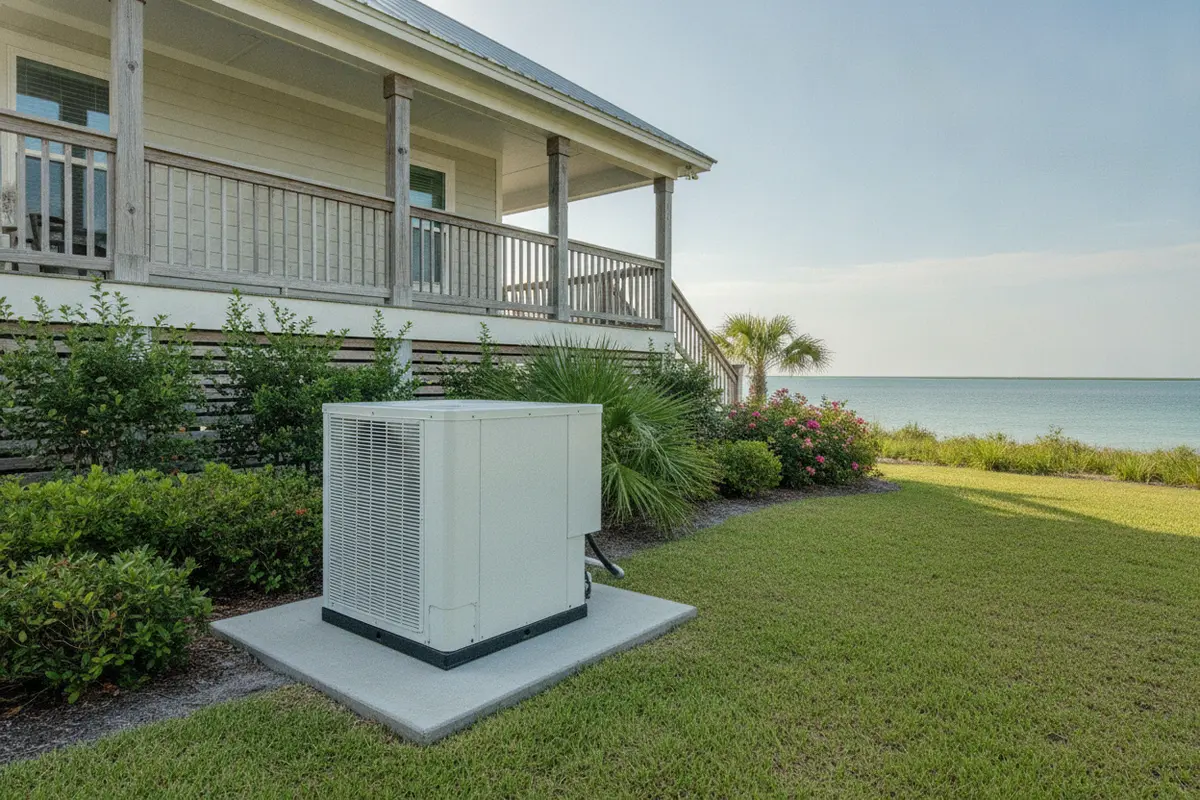
A ductless system relies on both the indoor head and outdoor equipment. If the outdoor unit cannot exchange heat properly, the indoor room may not cool as expected. Look from a safe distance for obvious obstructions, heavy debris, or a unit that is not operating when cooling is requested. A brief pause or quiet interval does not by itself establish a fault.
Keep leaves, grass, and stored items from crowding the outdoor equipment, while following the manufacturer’s required clearance. Do not open the electrical cabinet, touch wiring, remove panels, or pour water into the unit. Do not chip away ice or attempt to handle refrigerant lines. If you see damaged wiring, a strong burning odor, unusual noise, or a repeated breaker trip, turn the system off if safe and seek qualified service.
Visible ice or frost on the indoor coil or refrigerant piping can indicate an issue that needs diagnosis. Do not keep restarting the system to force cooling. An HVAC professional can inspect the indoor and outdoor equipment, controls, and operating conditions. If the system serves a larger cooling setup or another type of equipment, Tommy Cool Air also provides air-conditioning service information.
Could the system’s design or zoning explain the hot room?
In a multi-zone ductless system, separate indoor units may serve different rooms or areas. The zones may not all have the same load, location, or use. One room can remain warmer if its unit is undersized for the room’s heat gain, if doors are often open, or if the layout makes it difficult for air to reach the full space.
Zone controls matter, too. Confirm that the affected indoor head is on and set to Cool. Check whether a central controller or schedule is setting a different mode or temperature. Some equipment does not allow different indoor units to operate in incompatible modes at the same time. Follow the instructions for your particular system rather than assuming all heads work independently.
A published review of ductless mini-split systems describes their room-level indoor units and their operation without conventional ductwork. That arrangement allows zone-based control, but it also means each indoor unit and the space it serves need to be considered. Read the review of ductless mini-split HVAC systems for background. The U.S.-based professional nonprofit ACEEE also discusses how separate room units can produce different comfort experiences in its first-year mini-split heat pump lessons.
If the issue is a recurring difference between rooms, ask for a review of the system layout, load, controls, and airflow. Tommy Cool Air’s information on residential zoning systems explains a related approach to managing comfort in separate areas. A zoning review is different from simply replacing a filter or changing a remote setting.
How can you tell whether a setting change helped?
Give the system a reasonable period to respond after correcting the mode or set point. The exact response time varies with the equipment, room conditions, and heat load, so use the operating guidance for your model. A few minutes of fan operation alone may not tell you whether the room is actually cooling.
For a simple comparison, note the room temperature before the adjustment and again after the system has had time to operate. Use the same thermometer and place it away from supply air, direct sunlight, windows, and electronics. Compare the result with how the space feels, the air from the indoor head, and the display reading. A single reading is only a clue, not a full equipment test.
Keep other conditions as consistent as possible. Avoid switching repeatedly between Cool, Dry, and Fan, or making several large set-point changes in quick succession. Rapid changes can obscure what the system is doing and make it harder to describe the symptom accurately. If the head shows an error code, write it down before turning the system off, if it is safe to do so.
In a multi-head installation, compare the affected room with another zone only when both units are set in a compatible way. Note whether the other head is cooling, whether the outdoor unit is operating, and whether the problem follows a particular room or appears across the system. Do not assume that a difference proves a faulty component. Those observations help a technician choose what to inspect.
What can make one room harder to cool than the others?
A room’s cooling needs depend on more than its floor area. Large or west-facing windows can admit afternoon heat. A room over an unconditioned garage, under a hot roof, or with limited shade may warm faster than interior rooms. These conditions can make a working system seem less effective in one zone, especially during the hottest part of the day.
Room use also changes the heat load. Cooking equipment, computers, lighting, and several people add heat. An open door may let conditioned air mix with a warmer hallway, while a closed door can limit the way air moves through the space. Consider whether the problem appears only when the room is occupied or when a particular appliance is running.
Make a simple observation log for a few days if the issue is intermittent. Note the time, outdoor conditions, window shade position, room use, set point, and whether other zones feel comfortable. Do not change multiple settings at once. A pattern tied to afternoon sun suggests a different line of investigation than weak airflow at all hours.
Also check for recent changes. New furniture, a moved indoor head, altered window coverings, or a change in how a room is used can affect airflow or heat gain. Avoid blocking the unit to hide noise or redirect air with improvised panels. If the room’s use has changed substantially, mention that during a system review.
How can you compare likely causes and next steps?
Use this table as a first sorting tool, not as a diagnosis. A symptom can have more than one cause, and some faults require measurements or equipment inspection.
| What you notice | Possible explanation | Safe next step | When to request service |
|---|---|---|---|
| Fan runs, but air is not cool | Wrong mode, set point, schedule, or system fault | Confirm Cool mode and a reasonable set point | If settings are correct and cooling does not resume |
| Weak airflow from the head | Dirty filter, blocked intake, or internal airflow issue | Inspect the accessible filter and clear nearby obstructions | If airflow stays weak after the approved filter check |
| Room cools at some times, not others | Sun, heat sources, changing occupancy, or sensor location | Note time of day, sun exposure, and displayed temperature | If the pattern persists or the sensor appears inaccurate |
| Ice, unusual sounds, or repeated shutdowns | Potential equipment or operating problem | Stop repeated resets; turn the system off if needed for safety | Promptly, especially with a burning odor or breaker trips |
| One zone is always warmer than other areas | Room load, system sizing, controls, or air-distribution limitation | Record room use, door position, and control settings | For a system and room assessment |
What should you check before calling for help?
Before requesting service, write down what the system is doing. A concise record is often more useful than repeatedly changing settings. Include the following:
- The affected room and how long it has felt warm.
- The selected mode, set point, fan setting, and any schedule or app controls.
- Whether the airflow is normal, weak, warm, or cool.
- Any display code, flashing light, ice, water, unusual noise, or odor.
- Whether other indoor units or rooms are cooling normally.
- Recent filter cleaning, power interruptions, or changes around the indoor or outdoor unit.
Do not dismantle the head, test live electrical components, or attempt refrigerant work. If the system trips a breaker more than once, do not keep resetting it. If you notice smoke or an electrical burning smell, prioritize safety and seek appropriate help.
For a possible airflow issue beyond the indoor filter, a technician may need to examine ductwork in systems that use it. Tommy Cool Air provides ductwork installation and repair information. For broader indoor comfort questions, review its indoor air quality services as a separate resource; indoor air quality concerns are not a substitute diagnosis for a cooling fault.
When should you stop troubleshooting and request service?
Request professional help when the basic control and filter checks do not restore cooling, the same room repeatedly falls behind, or the unit shows a fault. Prompt attention is also sensible when you see icing, persistent water around the unit, unexpected shutdowns, or a noticeable change in sound.
Stop troubleshooting immediately if there is an electrical burning odor, smoke, damaged wiring, or repeated breaker tripping. Do not remove covers to investigate. A qualified technician can check the equipment safely and determine whether the cause involves controls, airflow, sensors, system operation, or capacity.
If you are in Tommy Cool Air’s service area, you can check Corpus Christi service-area information and contact the company with your observations. For a different community, use the complete service-area list. A clear description of the room, symptoms, and checks already made helps set up a useful conversation.
Contact Tommy Cool Air about a room that will not cool
Frequently asked questions
Why does my mini-split cool the rest of the home but not one room?
The affected zone may have a different setting, restricted airflow, a sensor issue, greater heat gain, or a system-design limitation. Compare its controls and airflow with the rooms that cool normally. Persistent differences call for an assessment of that zone and the equipment serving it.
Should I leave a mini-split running if the room is not cooling?
If the system is operating normally and there are no warning signs, you can make basic control and filter checks. Turn it off and seek help if you notice ice, repeated shutdowns, unusual electrical odors, smoke, or breaker trips. Do not keep restarting equipment that repeatedly trips or displays a fault.
Can a dirty filter make one ductless room feel warmer?
Yes. A restricted filter can reduce airflow through that indoor unit and make cooling less effective. Clean or replace the accessible filter according to the equipment instructions. If airflow remains weak afterward, avoid opening the unit and request service.
Why does the mini-split work better at night?
Sun through windows, outdoor heat, cooking, and room occupancy can raise the cooling load during the day. A sensor influenced by direct sun or a nearby heat source can also affect how the unit responds. Track the time and conditions when the room falls behind, then share that pattern with a technician.
Does a warm room always mean the mini-split is too small?
No. Incorrect settings, airflow restrictions, sensor problems, and equipment faults can create similar symptoms. Room size and heat gain are only part of a sizing assessment. A professional should evaluate the room, system, and operating conditions before recommending a change.
When one room stays warm, start with the mode, set point, filter, airflow, and safe visual checks. If those steps do not help or warning signs appear, record what you observe and request a qualified assessment rather than opening the equipment.