If your AC is blowing warm air after rain, the timing can make a power, drainage, or outdoor-unit problem seem storm-related. Heavy rain alone does not usually explain every loss of cooling. Start with a few low-risk checks indoors, then stop if you see water near electrical equipment, a repeatedly tripped breaker, or signs of storm damage.
Request AC service or a cooling-system assessment
Short answer: After rain, first confirm the thermostat is set to Cool, inspect the air filter and vents, and note whether the indoor and outdoor units are running. A clogged condensate drain, a power interruption, or a damaged component can interrupt cooling. Tommy Cool Air can help homeowners in Corpus Christi and nearby Gulf Coast communities identify the cause safely.
Why can an AC blow warm air after heavy rain?
Rain may arrive at the same time as an AC problem without being its direct cause. An outdoor condenser is built to operate outside, where it encounters ordinary weather. But heavy weather can expose an existing weakness, interrupt power, move debris, or coincide with a drain problem. The system may then run without removing enough heat from the home.
In a central air conditioner, the indoor equipment and outdoor unit have to work together. If the outdoor unit loses power, a safety switch interrupts operation, or a cooling component fails, air may still move through the indoor vents. That moving air can feel warm or simply not cool enough. The fan may also be circulating room-temperature air while the compressor is off.
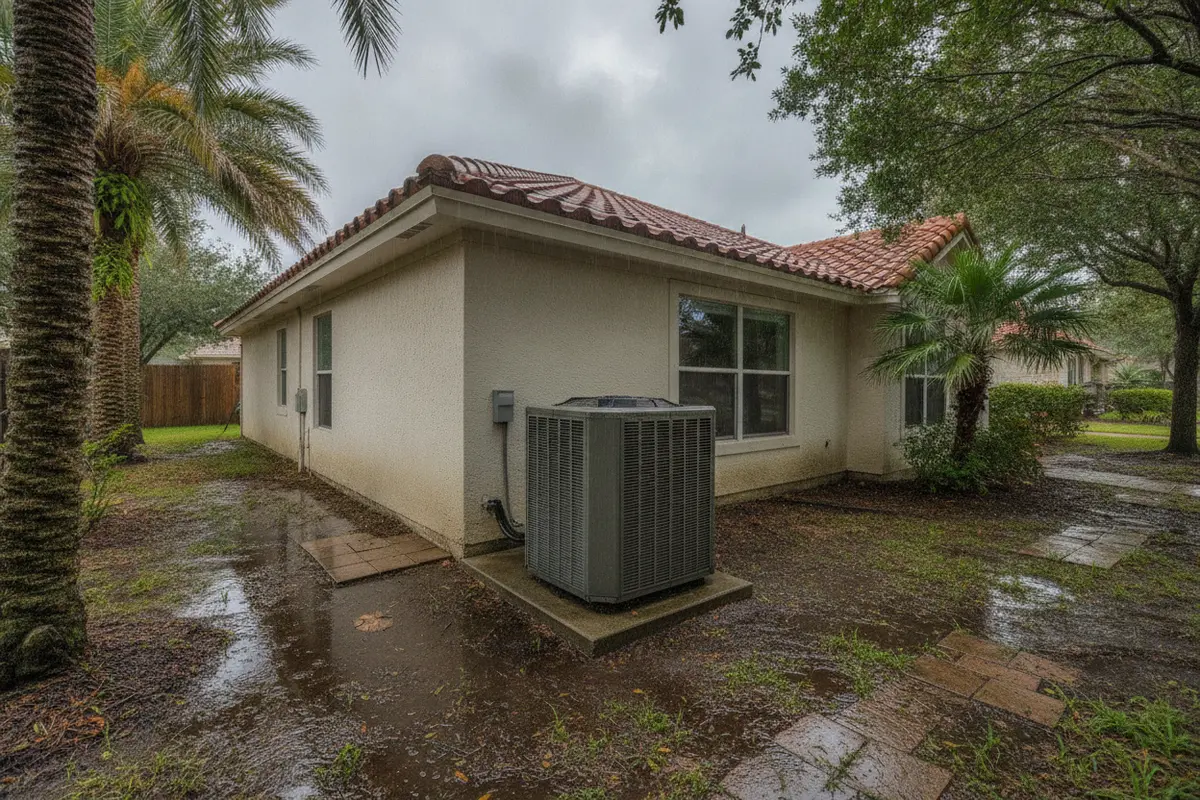
Before troubleshooting, consider what happened during the storm. Did lightning strike nearby? Did the power flicker? Is there standing water around the condenser? Did wind blow branches or other debris against it? These details help distinguish a simple setting issue from a condition that needs a technician.
What can you check safely inside first?
Begin at the thermostat and indoor vents. These checks do not require opening equipment or touching wiring. If any step feels unsafe, skip it and request help through Tommy Cool Air's contact page.
- Check the thermostat mode. Set it to Cool, rather than Heat, Off, or Fan Only. Make sure the set temperature is below the temperature shown in the room.
- Check the fan setting. If the fan is set to On, it may keep circulating air between cooling cycles. Auto lets the system's controls run the fan as needed. This setting alone may not be the fault, but it can affect how the air feels between cycles.
- Look at the air filter. A heavily loaded filter can restrict airflow. If the filter is dirty and you know how to replace it, use the correct size and airflow direction shown on the filter frame. Do not run the system without a filter.
- Open supply vents and clear returns. Move curtains, boxes, furniture, or rugs that block vents or the large return grille. Do not try to force a vent that is stuck.
- Listen and observe. Note whether the indoor blower starts, whether the outdoor unit runs, and whether the system shuts off quickly. Do not remove access panels to investigate.
After changing a thermostat setting or filter, give the system time to respond. Avoid rapidly switching it on and off. If the air remains warm, note the time and what the system is doing. That information can help a technician narrow down the issue.

How should you make a careful first-pass diagnosis?
A short, consistent observation is more useful than repeatedly changing settings. First, record the room temperature shown on the thermostat and its mode. Check that the cooling setpoint is lower than the room temperature. Then listen for the indoor fan and look from a safe location to see whether the outdoor unit appears to be running. You do not need to touch either unit or remove a panel.
Give a system that has just restarted a little time to respond. Indoor conditions, a recent power interruption, and the normal pause between cycles can make an immediate judgment difficult. Do not keep lowering the setpoint to force the equipment to run. If the system starts, stops, or makes an unusual sound, note the pattern instead of trying repeated restarts.
Compare what you observe at more than one vent. If airflow is weak throughout the home, a filter or blocked return may be worth checking. If airflow is normal but persistently warm, the fan may be operating without effective cooling. If only one room feels different, a closed vent, room-specific airflow issue, or other distribution concern may be involved. These observations are clues, not a diagnosis.
Also distinguish a room that is still warm from air that is actively being heated. After a hot, humid afternoon, the home may take time to cool even when the system is running. If the vents continue to blow air that feels warm, the indoor temperature rises, or the system cannot maintain the setpoint, stop waiting and request a professional evaluation.
Could a breaker or power interruption be the cause?
A brief outage or electrical disturbance can stop one part of an AC system while another part still runs. For example, an indoor blower may operate even if the outdoor unit is not running. A storm can also reveal an electrical fault that needs professional diagnosis.
If you can reach your home's breaker panel safely and the area is completely dry, look for a breaker that is visibly in the tripped position. Do not open the panel, remove its cover, touch exposed parts, or inspect it if there is water, a burning smell, buzzing, heat, or visible damage. Contact a qualified professional instead.
If a breaker is tripped and there are no warning signs, you may reset it once by following the panel's normal operating instructions. If it trips again, leave it off and call for service. Repeated resets can be unsafe and will not fix the underlying problem. Do not repeatedly cycle the thermostat or breaker to try to force cooling.
Never touch a wet disconnect, outdoor electrical box, wire, or service panel. If water has reached electrical equipment, keep clear. If you see sparks, smoke, or smell burning, move away and contact emergency services as appropriate. An AC service visit is not a substitute for addressing an immediate electrical hazard.
Can a condensate drain issue stop cooling?
Air conditioners remove moisture from indoor air as they cool. That water normally drains away through a condensate line. If the drain becomes obstructed, some systems use a float switch to shut down cooling and help limit overflow. The indoor fan may continue to run, which can make it seem as though the AC is operating even though it is not cooling.
Rain does not necessarily cause a blocked AC drain. A drainage issue may simply become noticeable on a humid day when the system has been removing more moisture. Look only for obvious signs you can see safely, such as water around the indoor unit or a system that stopped cooling. Do not open the air handler, remove a drain trap, pour chemicals into a drain, or reach into equipment.
If you see water near the indoor unit, turn the system off at the thermostat if you can do so safely, protect nearby belongings, and request service. For more context about routine care, read Tommy Cool Air's guide to an AC maintenance and tune-up visit. If the unit is already leaking, the guide to an AC leaking water can help you understand what to observe while arranging help.
What should you look for around the outdoor unit?
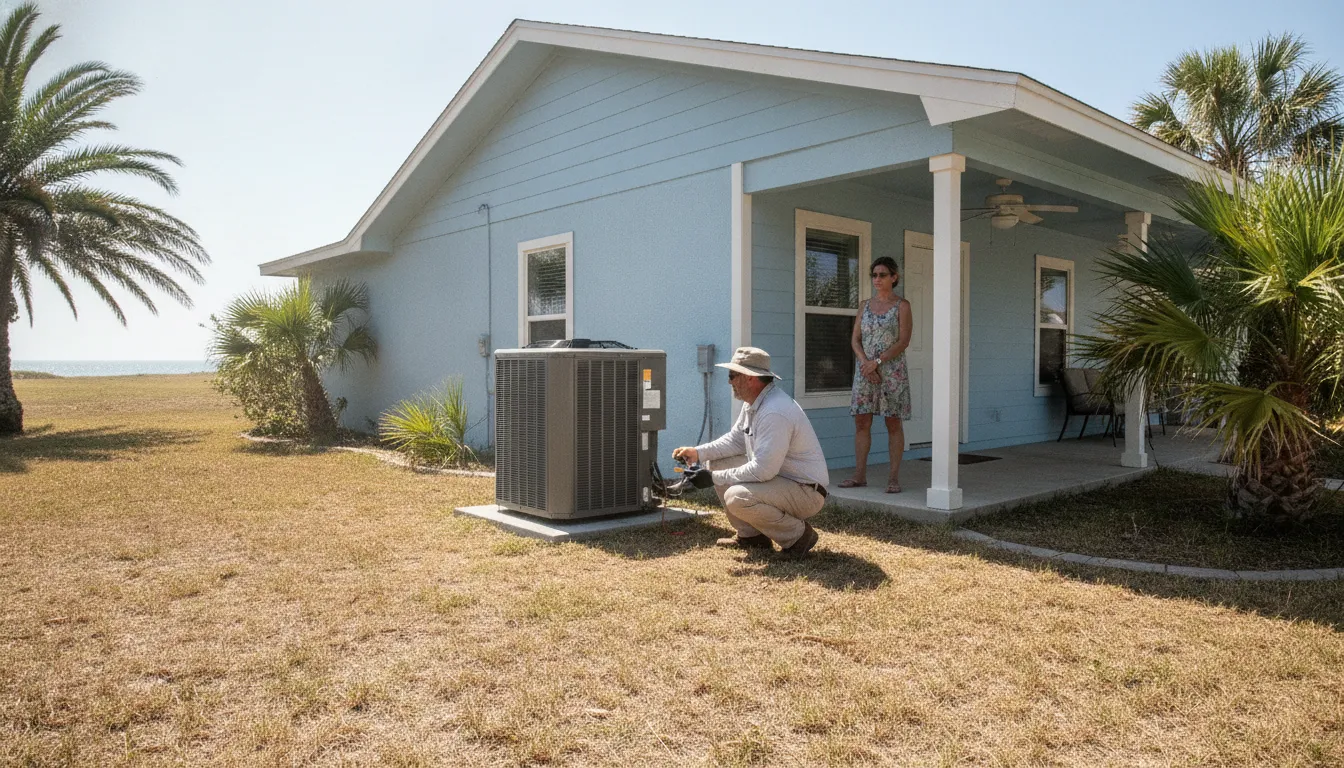
From a safe distance, check whether the condenser is surrounded by standing water, pushed out of position, visibly damaged, or blocked by fallen branches and other debris. Do not step into floodwater, move heavy objects, touch the unit, or remove its panels. If there is water around electrical components, leave the area and keep others clear.
Ordinary rain on an outdoor unit is different from flooding or physical damage. If floodwater reached the equipment, a branch struck it, or the unit shifted, do not restart it to see what happens. Have it inspected first. Water intrusion or impact can create hazards that are not visible from outside.
Keep the area around the unit clear only when it is safe to do so. If debris is touching the cabinet or fan grille, do not reach inside or try to straighten fins. The fan can start unexpectedly, and sharp edges or electrical parts may be present. Tell the technician what you observed instead.
When you inspect from a distance, look for changes rather than trying to determine what a component does. A cabinet that appears tilted, a grille that is bent, or debris wedged against the unit can be described without touching it. If the equipment sits in a low area, do not assume that a small amount of visible water is harmless. Keep people and pets away until the area is dry and the unit's condition is clear.
Do not cover the condenser to shield it from rain, spray it with a hose, or place a tarp over it while it is operating. The outdoor unit needs its normal airflow, and covering it can create another problem. Likewise, avoid using a broom or tool to push debris through the grille. Photographing visible damage from a safe, dry location may help you explain what happened when you call.
For urgent cooling problems, Tommy Cool Air directs customers to its 24/7 call-or-text path at (361) 852-4450. You can also review emergency AC service information and use the contact options to request help.
When should you call for AC service?
Stop and request professional help if the system still blows warm air after the basic indoor checks, if the outdoor unit does not run, or if the system starts and stops repeatedly. A technician can inspect the controls, electrical components, condensate safety switch, refrigerant circuit, and other parts without asking you to work around energized equipment.
Call promptly if there is a burning odor, unusual electrical sound, visible damage, water near electrical equipment, a breaker that trips again, or evidence of flooding. Turn the system off only if you can do so safely. Do not touch wet switches or exposed wiring. If the home is becoming dangerously hot, prioritize the safety of people and pets while arranging assistance.
Have these details ready when you contact a technician:
- When the warm air began and whether cooling stopped during or after the storm.
- Whether power flickered, a breaker tripped, or the thermostat display went blank.
- Whether the indoor blower and outdoor unit appear to run, without opening either unit.
- Any visible water, debris, impact, unusual noise, or smell.
- What safe checks you already tried and whether the system changed afterward.
For a straightforward service request, use the AC repair service page or contact Tommy Cool Air to discuss the next step. Homeowners comparing a repair with a possible replacement can ask for an assessment; individual repair and installation pricing depends on the work needed.
What will a technician need to check?
A useful service visit starts with the symptoms and the conditions you noticed, then moves to system checks that require training and appropriate tools. The technician may verify the thermostat call, inspect whether the indoor and outdoor equipment respond, and check relevant electrical and safety controls. If water is present near the indoor unit, the condensate path and any safety switch may need attention.
Depending on what those checks show, the evaluation may include airflow, the condition of accessible components, and the cooling circuit. Warm air by itself does not identify a particular failed part. A measured diagnosis helps avoid guessing at a repair based only on the weather or one symptom. You can share the timeline and observations without trying to test voltage, handle refrigerant, or remove panels yourself.
Ask the technician to explain what was found, what work is recommended, and how the proposed repair addresses the symptom. If a storm caused visible impact or flooding, point out the location and describe how high the water appeared to reach, if you know. Do not estimate technical damage; the inspection is there to establish what needs attention.
If the inspection finds that a repair is not the only practical path, ask for an explanation of the options and scope before making a decision. A replacement assessment may consider the equipment and the home's needs, while a repair quote depends on what has failed. Tommy Cool Air provides a page about AC installation and replacement for homeowners considering that route. No specific repair or installation price should be assumed before the work is evaluated.
How do the likely causes compare?
The pattern you observe can help you decide what to do next. It cannot confirm a diagnosis. Use this comparison as a guide for safe observations, not as a reason to open or repair the equipment.
| What you notice | Possible area to investigate | Safe next step |
|---|---|---|
| Thermostat is set to Fan or Heat | Mode, setpoint, or fan setting | Set Cool and a lower setpoint; wait for a response. |
| Weak airflow from several vents | Dirty filter or blocked return/supply | Check the filter and clear obstructions you can safely reach. |
| Indoor air moves, but outdoor unit appears off | Power interruption, control, or outdoor-unit issue | Do not open equipment; request service if the basic checks do not restore cooling. |
| System stops and water is visible indoors | Possible condensate drainage or safety-switch issue | Turn cooling off if safe and arrange an inspection; do not open the unit. |
| Breaker trips again, or there is a burning smell | Potential electrical fault | Leave the breaker off, keep clear, and seek qualified help. |
| Outdoor unit was flooded, struck, or visibly shifted | Possible storm or impact damage | Do not restart or touch it; have it inspected. |
Use the table as a way to describe what you noticed, not as a do-it-yourself repair map. For example, indoor airflow with a quiet outdoor unit can point toward a power or control issue, but it does not prove which one. Similarly, water under an air handler may be related to condensate drainage, but the source should be checked before assuming a clogged line. The safe action is to note the symptom and stop before handling equipment.
How can Gulf Coast homeowners reduce repeat interruptions?
Corpus Christi and nearby coastal communities experience heat, humidity, and salty air. Those conditions make dependable cooling important, while moisture and coastal exposure can place demands on HVAC equipment. A rain-related symptom is a good reason to note how the system behaved and arrange a check if the problem persists. It is not proof that rain damaged the equipment.
Keep routine maintenance on your calendar, replace filters as their condition and system instructions call for, and keep the outdoor area clear without touching the unit. After severe weather, look from a safe distance for standing water, shifted equipment, or debris. Do not pressure-wash the condenser or use a storm as a reason to open panels.
A simple post-storm routine can help you notice a developing issue early. Once conditions are safe, check whether the thermostat display is on and whether the system appears to respond normally. Walk through the home and note unusual sounds, persistent warm air, or visible water around the indoor equipment. Outside, view the condenser from dry ground and look for a changed position or obvious impact. These are observations only; they do not replace maintenance or repair.
It also helps to know where the air filter is and what size your system uses before an urgent day arrives. Keep a replacement available if your household normally changes its own filter, and follow the equipment instructions for interval and fit. A filter should sit properly in its slot, with airflow direction aligned to the marking. If access is awkward, the filter size is unclear, or replacing it requires reaching into equipment, leave it for a professional.
Track recurring symptoms rather than relying on memory. A short note with the date, weather, thermostat setting, and whether the indoor and outdoor sections appeared to run can reveal whether a problem is isolated or repeated. This is particularly useful when cooling demand is high and the system has several operating cycles through the day. Do not delay a service call when warning signs appear simply to collect more observations.
The U.S. Department of Energy provides consumer information about home energy use and cooling. Its official website is a starting point for that guidance.
Tommy Cool Air serves homeowners across Corpus Christi and surrounding communities. See its Corpus Christi service-area information, or check the pages for Flour Bluff and Padre Island. For broader cooling guidance, explore the company's air conditioning services and HVAC frequently asked questions.
For homeowners who want to plan ahead, the Cool Kids Comfort Club information explains the company's membership option. Review the current details directly before deciding whether it fits your household. You can also read more about common reasons an AC blows hot air and what to consider when an AC is not blowing air; this rain-focused guide remains centered on distinguishing weather timing from a specific storm hazard.
Contact Tommy Cool Air to request help with your AC
Frequently asked questions
Can heavy rain by itself make an AC blow warm air?
Usually, rain alone is not enough to identify the cause. A power interruption, drainage safety switch, debris, existing equipment fault, or storm-related damage may coincide with the weather. Check simple indoor settings first and avoid touching wet or damaged equipment.
Should I run my AC if the outdoor unit is standing in water?
No. Do not enter standing water or touch the unit, disconnect, or nearby electrical equipment. Keep clear and arrange a professional inspection before trying to restart equipment that may have been flooded.
Is it safe to reset the AC breaker after a storm?
Only consider a single reset if the panel and surrounding area are dry, there are no signs of damage or electrical trouble, and you can follow the panel's normal instructions safely. If it trips again, leave it off and call for qualified service. Never open the panel or touch wet electrical equipment.
Why does the indoor fan run if the AC is not cooling?
The blower can move air even when the outdoor unit or another cooling component is not operating. A fan set to On can also circulate air between cooling cycles. If the thermostat is correctly set and the air stays warm, the system needs further diagnosis.
What should I tell the technician?
Share when the issue began, whether power flickered, what the thermostat displays, whether you noticed water or debris, and which components appear to run from a safe distance. Mention any breaker trip, unusual odor, or sound. Do not open equipment to collect more information.
If your AC is still blowing warm air after these safe checks, stop troubleshooting and arrange a professional inspection before the next stretch of Gulf Coast heat.